 MockHeader
Set, append, or remove a header
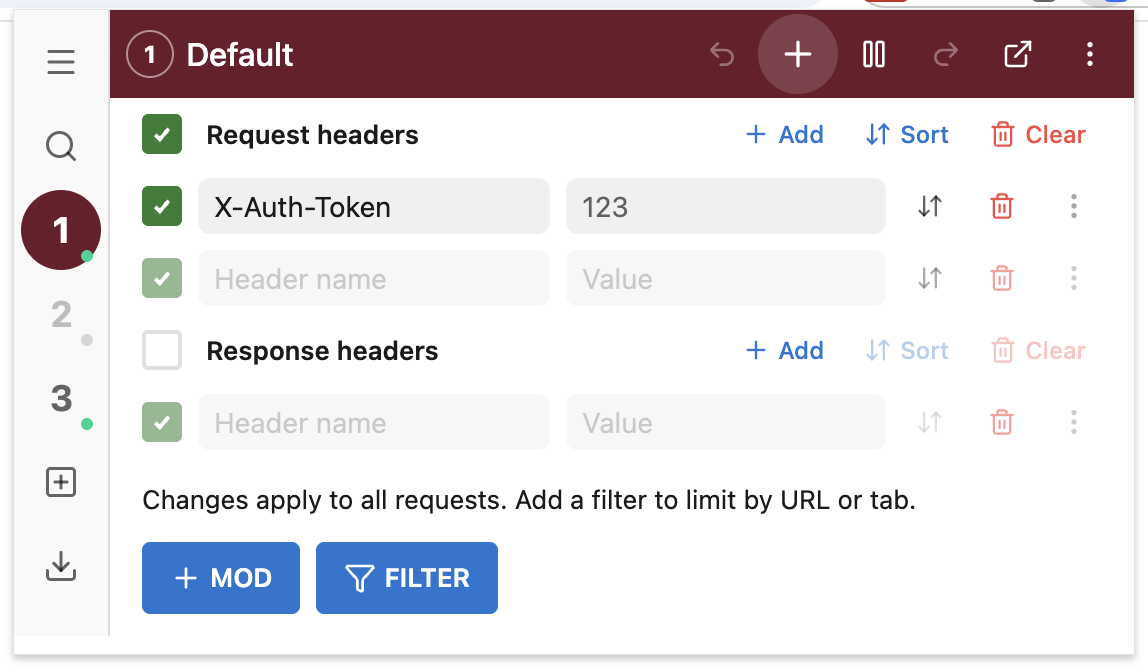
Request and response headers from the popup. Chrome applies them through declarativeNetRequest. Nothing is proxied.
Open source · ModHeader alternative
Permanently free. Rules stay on this device. Nothing is uploaded. Coming from ModHeader? Import the JSON.
MIT. No account. No telemetry.
Load MockHeader in Chrome. No account. It never talks to a server.
Set, append, or remove headers in the popup. Or import a ModHeader JSON export.
Profiles live in chrome.storage. Filters limit where rules run. Nothing is uploaded.
Request and response headers from the popup. Chrome applies them through declarativeNetRequest. Nothing is proxied.
Turn a rule off for one pass and on for the next. Same page, no app deploy.
Keep tokens on the traffic you meant to touch.
From is a Chrome URL filter. To is the destination, or a regex substitution.
Export JSON there, Import here. Conversion stays on this device. Independent project — not affiliated with ModHeader.
MIT. No paid plan, no analytics, no backend. Source is public.
Permanently free. Open source. Nothing leaves this device.
Add to Chrome — It's free